
Aniimo Delete Character or Account? Reset Options & Support
The official FAQ does not document a self-service character delete or reset button. Ask support what is possible before unlinking accounts. For appearance only, use customization or Face Data import; neither requires deleting your account.
Advertisement
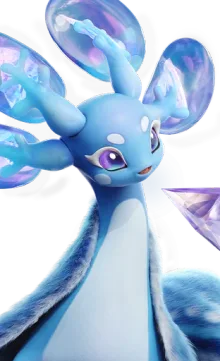
Players searching for Aniimo delete character, reset character, restart character, or delete account are usually trying to do one of two things: start completely over, or fix a bad server or appearance choice. Both are reasonable goals, and neither has a documented one-click delete button.
This page separates documented account rules from unconfirmed reset options. It does not promise that a reset is available. If the problem is only a bad appearance, use Aniimo Face Codes and Import Face Data instead of deleting or restarting anything.
The Short Answer
The official launch FAQ linked below does not document a character deletion or reset button. That is a limit of the available documentation, not proof that every current client lacks one. Support may not offer a reset; confirm the options for your platform, server, and account before acting.
That makes "delete my character" the wrong framing. The question to ask instead is what you want the reset for, because the answers differ.
Query Scope and Source Check
This existing page covers the overlapping queries aniimo delete character, aniimo delete account, and how to reset aniimo account. They all lead to an account-risk decision, but they do not prove that Aniimo offers the same operation for each request. This page therefore does not create a separate face-code or reset page: appearance changes belong in Aniimo Face Codes and Import Face Data, while account and progress questions stay here.
Source checked October 15, 2026: the official PC & Console Pre-Download FAQ, published 2026-09-14, documents separate server data, first-login console linking limits, and the official support address. It does not document a character deletion or reset button. The page does not identify a later official reset announcement or a client version that adds one, so it does not present an undocumented workaround as current functionality.
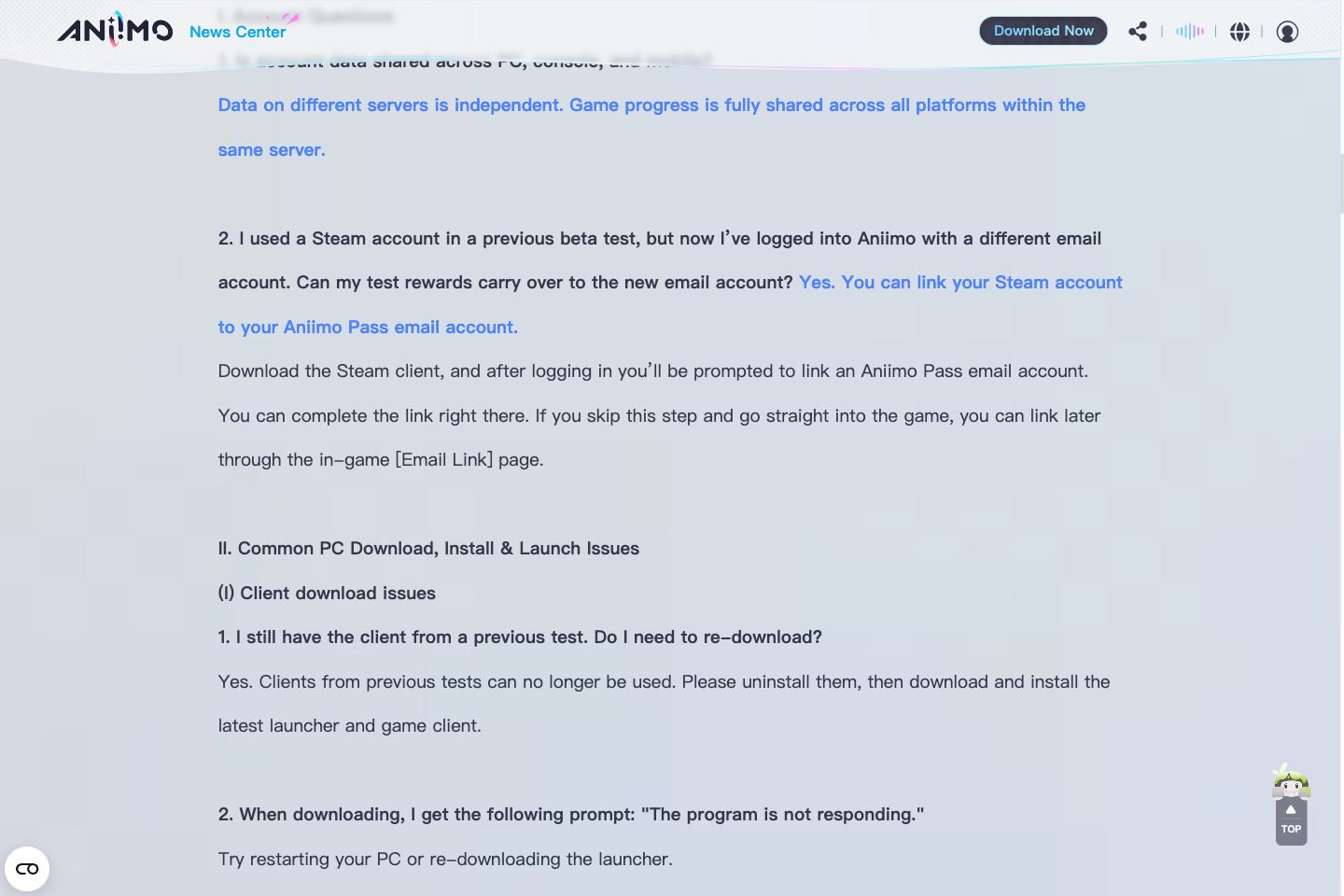
Reproducible source check: open the official PC & Console Pre-Download FAQ, dismiss only the optional cookie panel, then scroll to “I. Account Questions.” The screenshot is source evidence, not a game-setting screenshot and not proof of a delete or reset control. Captured October 17, 2026 at a 1440-pixel browser width.
| Search intent | Realistic route |
|---|---|
| Delete character | No documented self-service button |
| Reset character | Ask Customer Support whether a reset is available; do not assume approval |
| Restart Aniimo account | Confirm the allowed fresh-start options and reward consequences with support |
| Change server | Not possible through a transfer; check support first |
| Play a different region | Ask support about access and linking; progress is independent by server |
| Fix a bad appearance | Use the customization menu, not a reset |
What Is Confirmed
Several official rules shape the decision, and they are worth knowing before you try anything drastic.
| Rule | Status |
|---|---|
| Three regional servers with independent data | Official |
| Progress does not transfer between servers | Official |
| Progress is shared across platforms within one server | Official |
| Account linking uses an Aniimo Pass email | Official |
| Server on PS5 is assigned from PSN region | Official |
| A character deletion option exists | Not documented |
The FAQ establishes separate server progress, not a procedure for resetting characters. Ask support about your region and linked account rather than treating a new account as a guaranteed fix.
Before You Act: What Cannot Be Safely Assumed
The missing delete button is only one part of the risk. A player can accidentally turn a cosmetic problem into an account problem by trying several changes at once: reinstalling the client, unlinking a console, making another email, entering a different server, and redeeming items while unsure which account is active. None of those actions is documented as a character-reset procedure.
The official FAQ gives a narrower set of facts. Data is independent across servers; progress is shared across eligible platforms within the same server after linking; and a first console login has a limited account-linking prompt. Those are reasons to pause, not instructions for manufacturing a new start. Read the Aniimo APAC server guide if the question is really about region, because an APAC character is not a transferable copy of an America or Europe character.
Use this decision table before contacting support:
| Your actual problem | Lowest-risk next action | Do not assume |
|---|---|---|
| You dislike your face, hair, makeup, or outfit | Open customization or use a shared Face ID | That an appearance edit deletes or remakes progress |
| You want a different starter or early-game path | Ask support whether any account-specific option exists | That a reinstall, unlink, or new email resets the same character |
| You chose the wrong regional server | Check the server and platform-account mapping first | That characters, purchases, or rewards move across servers |
| A console linked to the wrong Aniimo Pass | Stop before entering more account prompts and ask support | That removing a local app reverses a server-side link |
| You want to close the whole account | Use the official support/privacy route | That “delete character” and “delete account” have the same scope |
An appearance-only need has a much safer route. The Aniimo character creation guide explains the editable look categories, while Aniimo Face Codes covers Import Face Data. A Face ID changes a look; it does not replace a character, transfer server data, or restore a prior account state.
Starting Over Without a Delete Button
If your goal is a fresh start on the same server, ask in-game Customer Support whether it is supported. Contacting support is a request for clarification, not a guarantee that they can erase or replace your character.
Before contacting support, decide three things:
- Which server and platform you use. Include these in your support request.
- Which progress and purchases you need to preserve. Ask support to explain the consequences before accepting any account change.
- Whether you mean a character reset or account deletion. These are different requests, and deleting an account is not a cosmetic fix.
Do not use unlinking and relinking as a reset workaround. The official FAQ warns that the console linking prompt appears only on the first login and that skipping it restricts linking to an existing Aniimo Pass. Get account-specific help before changing a link.
How to Restart or Reset an Aniimo Character
For searches such as how to restart in Aniimo, how to reset Aniimo, and can I restart Aniimo, the available sources do not give a self-service reset procedure. Check the current client and official support rather than following an unverified workaround.
Use this order:
- Decide whether the problem is appearance, server choice, or lost progress.
- Use the customization menu and Face ID for an appearance problem.
- Check the server before creating a new account, because server progress is separate.
- Contact in-game Customer Support if you need the existing character or account changed.
- Do not unlink accounts or delete data just to test whether a reset exists.
Restart character, reset character, and delete account are not interchangeable. A character reset changes game progress; account deletion is a broader privacy and account-support request.
Reset Character vs Delete Account
The words players use are not always the same as the operation they need.
| What you type | What you probably need |
|---|---|
| Aniimo delete character | Remove or replace the current character |
| Aniimo reset character | Start fresh on the same server |
| Aniimo restart character | Redo early choices such as server or starter path |
| Aniimo delete account | Remove the account itself, which is a support/privacy request |
| Aniimo change appearance | Use Face ID, Import Face Data, or customization instead |
If your issue is appearance, do not pursue account deletion. Use Face ID or the customization menu. If your issue is server or account linking, do not rely on community workarounds; use Customer Support.
The Linking Steps That Are Documented
The official launch FAQ explains linking an Aniimo Pass email with Steam, PSN, or Microsoft accounts. It also warns about the first-login console linking prompt. These instructions explain linking; they are not character-deletion or reset instructions. Do not treat unlinking, reinstalling the client, or changing an email as proof that server-side progress will reset.
A Safe Support Request, Step by Step
Support can assess an account; this guide cannot. The practical goal of a request is to give Customer Support enough information to state what is possible before you make an irreversible change. Do not send a password, one-time code, recovery code, or payment-card number in a support email or community message.
- Write down the exact goal. Say “I want to change appearance,” “I want to know whether a same-server character reset exists,” “I need account-deletion information,” or “I linked the wrong platform.” Avoid a vague request such as “please reset everything.”
- Record the account context without secrets. Include your platform, regional server, time zone, in-game display name or player ID if the game exposes one, and whether you use Steam, PSN, Xbox, mobile, or more than one platform.
- State what you have already done. Mention only safe, factual steps: for example, whether you opened the console first-login prompt or whether the client showed an error. Do not experiment with unlinking while you wait for an answer.
- Ask consequences before permission. Request a clear answer about story progress, creatures, inventory, paid items, pre-order items, unused redemption cards, cosmetic items, and platform links. A support agent may tell you that an operation is unavailable; do not take silence or a generic troubleshooting reply as approval.
- Keep the reply. If support describes an option, reread its scope and conditions before accepting it. A response about an old Steam test-account link is not automatically an answer about a live-character deletion.
The official FAQ lists [email protected] for official Customer Support. In-game Customer Support is the better first stop when it can show the current account context. Either way, ask the provider to confirm the current client and policy; this article records a documented boundary rather than granting an account action.
Copy-and-Check Support Template
You can adapt this template without adding private credentials:
Platform: [Steam / PS5 / Xbox / mobile]. Server: [America / Europe / APAC, if known]. I am trying to [describe one goal]. I currently have [brief progress or linking context]. Before I change or unlink anything, can you confirm whether a supported option exists and what happens to progress, creatures, purchases, pre-order items, unused redemption items, and account links? I will not share my password or one-time codes.
The phrase “what happens” matters more than “can you do it.” It prevents this page from implying that any reward is retained, reissued, transferred, or recoverable. Even where the FAQ says unused Battle Pass redemption items do not expire across versions, that statement has a limited context. It is not a promise about a reset, a deleted account, a new character, or a different server.
Error and Account-Linking Troubleshooting
Not every search for “delete character” begins with a desire to start over. Some players arrive here after a login failure, a wrong-looking account, a stalled launcher, or a console-link prompt. Match the symptom to the least-destructive documented path.
| Symptom | Safe check | What not to do |
|---|---|---|
| You see a different character or no familiar progress | Verify the selected server and the account used to sign in | Create another account or delete local data as a test |
| A console shows the first-login account-link prompt | Stop and read the prompt; make sure the target Aniimo Pass is the intended one | Skip it hoping that it can always be corrected later |
| A Steam test reward question appears | Use the FAQ’s stated Steam-to-Aniimo-Pass linking context | Treat that prior-test policy as proof of a live reset or reward transfer |
| The launcher is broken or a game file fails | Use the official launcher troubleshooting steps or contact support | Delete the account or unlink platforms to repair a local installation |
| A Face ID import fails | Recheck the ID/QR and use the face-import troubleshooting guide | Delete a character to fix a cosmetic import |
For a PC client problem, the FAQ separately suggests conventional measures such as checking storage, installation permissions, antivirus quarantine, network settings, and the launcher’s Quick Repair option. Those can address a local client issue; they do not state that server progress is removed. If you see a game-account login error, capture the exact visible error text, platform, and approximate time for support rather than guessing that a reset is required.
For console users, the first-login warning deserves extra care. The official FAQ says that the link popup appears only on the first login for a PSN or Microsoft account that has not previously logged into Aniimo; skipping it registers a new Aniimo Pass and that console account can no longer be linked to a game account with an existing Aniimo Pass. This is a documented linking limit, not a deletion workaround. If the server associated with a PSN region differs from the character’s server, use the APAC guide and the official country table before making a link decision.
Appearance Problems Do Not Need a Reset
A common reason players look for a delete option is that they are unhappy with how their character looks. That has a solution inside the game.
Aniimo's customization menu lets you adjust face shape, makeup, hair, and outfit after creation, and Face Codes let you import a completely different look from another player. Glimmer, which arrives free through launch codes, converts into customization items.
For an appearance problem, check the available customization options before requesting any destructive account change. Some options may require cosmetic items; this guide does not promise that every edit is free.
Official Video Context: Launch and Support Boundaries
The official launch-date video is included as related launch context, not as reset evidence. Its broad PC-and-console announcement does not show a delete-character button or establish an account-recovery policy. If the embedded player does not load, use the official Aniimo YouTube watch page. The FAQ remains the primary source for the server, linking, support, and reward boundaries discussed here.
What a Reset Would Cost You
Before pursuing a fresh start, it is worth knowing what carries weight in Aniimo:
| Progress | Reset risk |
|---|---|
| Story and unlocked systems such as the mailbox | Ask whether any approved fresh start removes this progress |
| Caught creatures and Prismana forms | Do not assume they transfer to a new character or account |
| Free Prismana choice | Ask whether eligibility changes; a second grant is not confirmed here |
| Battle Pass redemption cards | No expiration does not establish reset or account-transfer behavior |
| Pre-order accessories | Check purchase ownership and the original claim before changing an account |
The launch FAQ says unused Battle Pass redemption items do not expire across versions. It does not confirm that they survive a character reset or move to another account. Get a written answer about purchases and rewards before agreeing to any fresh-start operation.
Frequently Asked Questions
Can you delete a character in Aniimo? The official FAQ linked here does not document a deletion procedure. Ask in-game support about your current client and account; a reset is not guaranteed.
How do I start over in Aniimo? Contact in-game Customer Support. There is no documented self-service reset.
Can I reset my Aniimo character myself? No self-service reset is documented. Treat reset and restart requests as support issues unless the game adds a visible reset option later.
Is deleting an Aniimo account the same as deleting a character? No. Account deletion is broader and may involve privacy/account support. Character reset is about game progress on a server.
Can I change my server after creating a character? Server data does not transfer, and PS5 assigns your server from your PSN account's registered region. Confirm with support before assuming a change is possible.
Can I have characters on two servers? The FAQ confirms independent server data, but does not settle every multiple-character or multiple-account case. Confirm your platform and account options with support.
Do I lose my Battle Pass if I start over? This is not confirmed for a character reset or a new account. The documented no-expiration rule concerns unused redemption items across versions, not preservation after deletion or reset. Ask support before changing anything.
Will support restore my deleted character or rewards? This guide cannot promise restoration. The official material checked here does not document a character deletion, reset, restoration process, or reward-preservation policy for that situation. Ask Customer Support before any action that could affect the account.
Can I reinstall Aniimo to reset my character? No documented source says reinstalling resets server-side progress. Reinstalling may be relevant for a client problem, but it is not a safe character-reset method.
Can I make a new account to play on APAC? The official FAQ documents independent server data, not a guaranteed fresh-start or transfer method. Check the regional and platform-linking consequences first; see the Aniimo APAC guide.
Can Face Codes restore my old character? No. A Face Code is appearance data. It can help recreate a look, but it does not restore creatures, progress, inventory, currency, server data, or account links. Use the Face Codes guide for the import workflow.
Where should I ask about my specific account? Use in-game Customer Support. The official launch FAQ also lists [email protected] as an official support address. Include platform, server, and the operation you want clarified; do not send your password or one-time login codes.
Sources and Update Boundary
- Official Aniimo PC & Console Pre-Download FAQ, published September 14, 2026; checked October 17, 2026. Used for server independence, platform-linking limits, support contact, pre-order redemption context, and the absence of a documented delete/reset procedure.
- Official Aniimo launch-date video, included as launch context only; it is not used to claim a character-reset feature.
- Aniimo APAC server guide, related on-site explanation of the official regional-server material.
- Aniimo character creation guide and Aniimo Face Codes guide, related on-site routes for non-destructive appearance changes.
This page should be updated at this same URL if Aniimo publishes a dated official character-delete, account-deletion, restoration, or reset policy. Until then, a missing procedure is not permission to improvise with accounts, rewards, or server links.
Advertisement
Related Guides
Aniimo Character Creation: Presets, Face Data & Appearance
Aniimo character creation guide: presets, face and body options, character import, Face Data import, Glimmer customization items, and appearance sharing.
Aniimo Face Codes: Face ID, QR Import & Presets
Import Aniimo Face IDs or QR codes through Import Face Data. Find community preset sources, check appearance-only limits, and troubleshoot failed imports.